N10-009: CompTIA Network+ — Free Practice Questions
10 free sample questions from a bank of 1227, with the correct answers and explanations. No signup required — start practising right now.
1SIMULATION
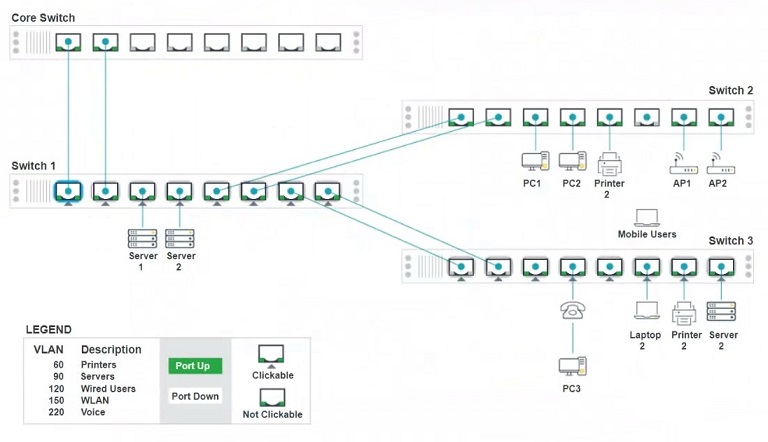
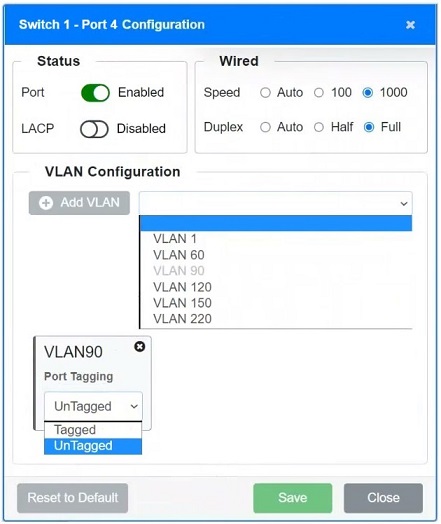
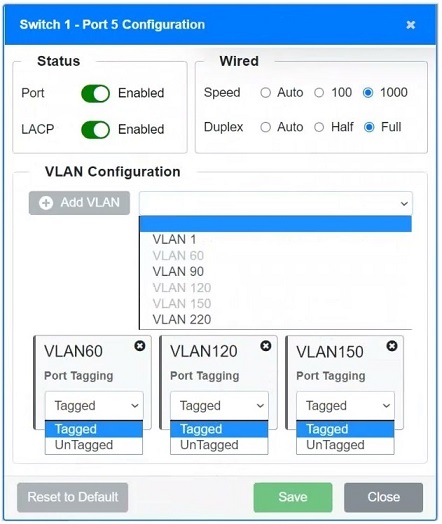
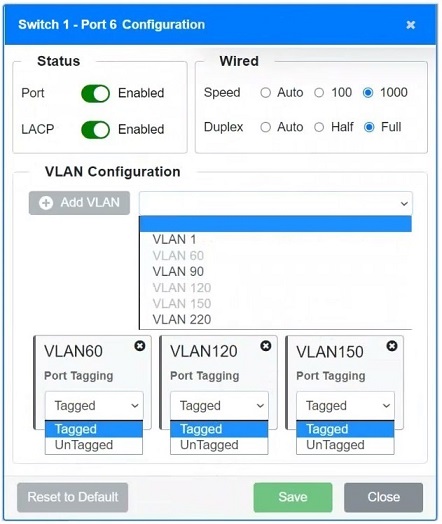
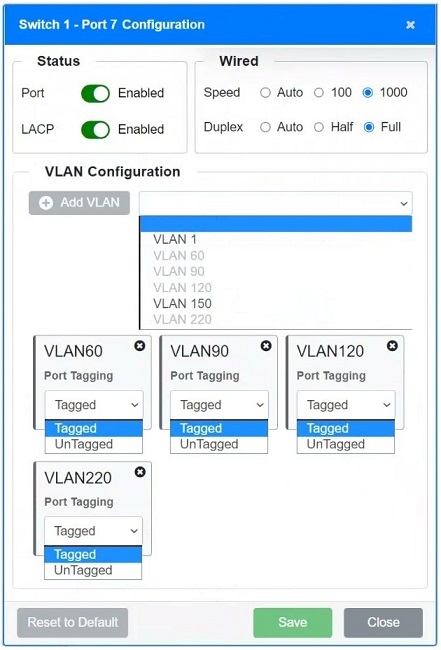
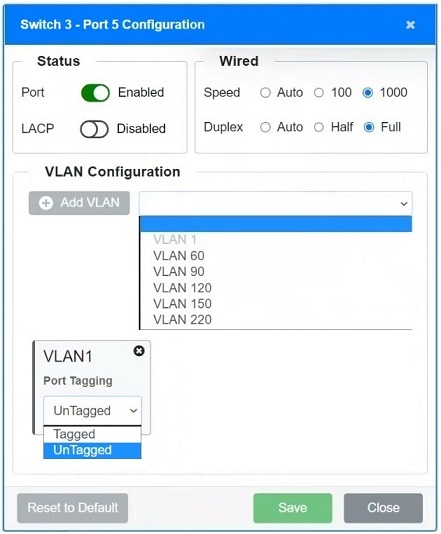
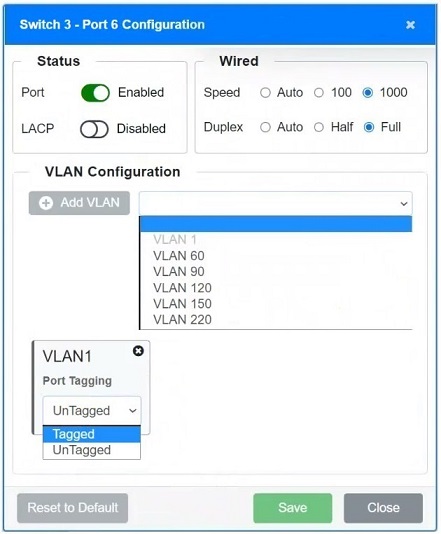
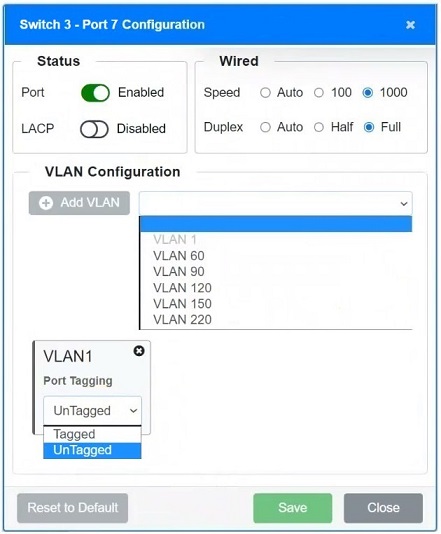
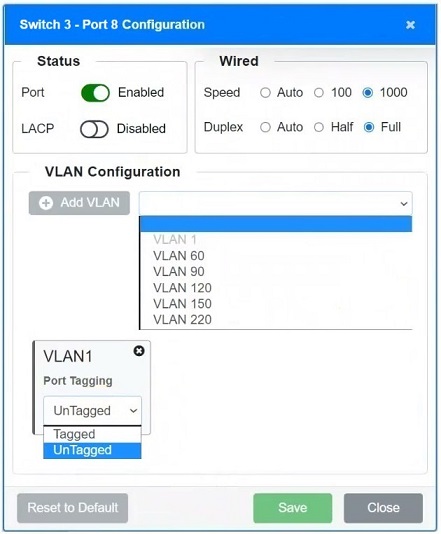
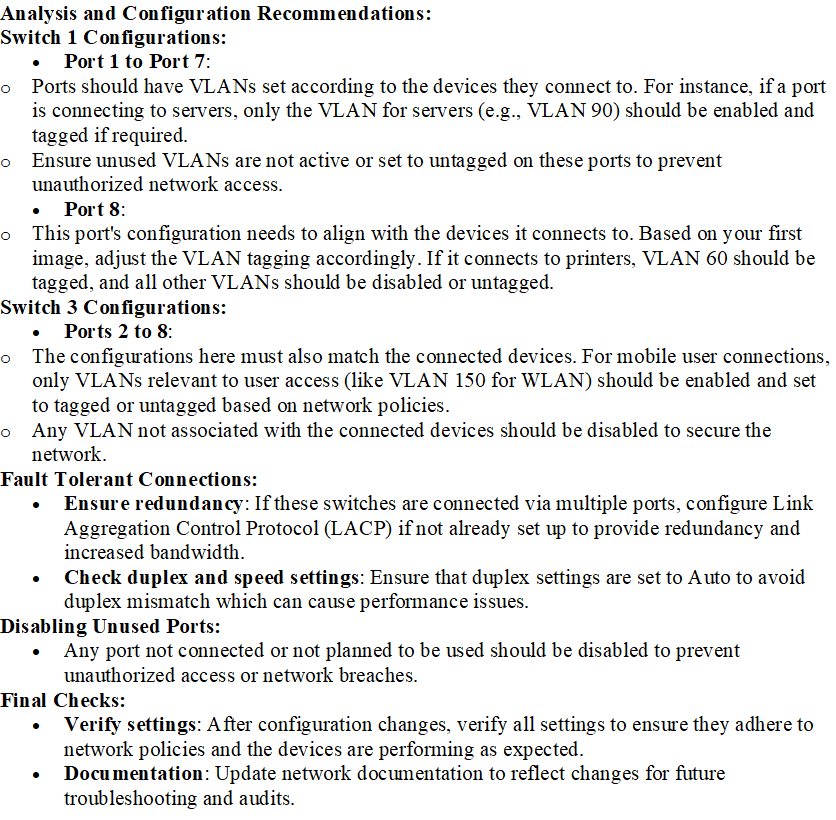
A network technician replaced an access layer switch and needs to reconfigure it to allow the connected devices to connect to the correct networks.
INSTRUCTIONS
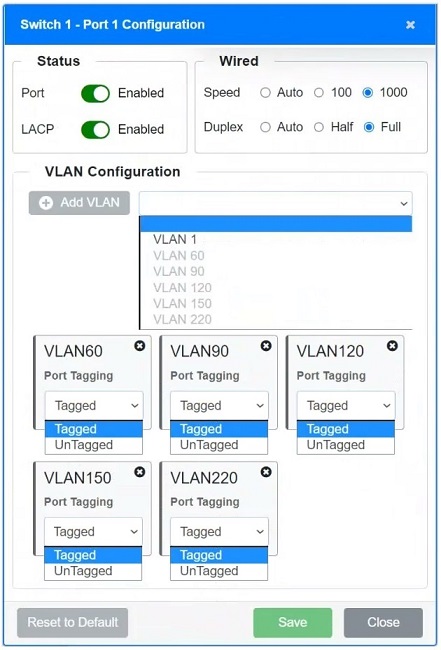
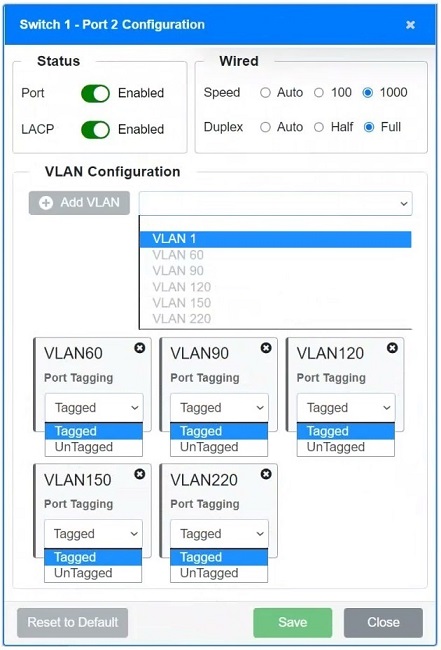
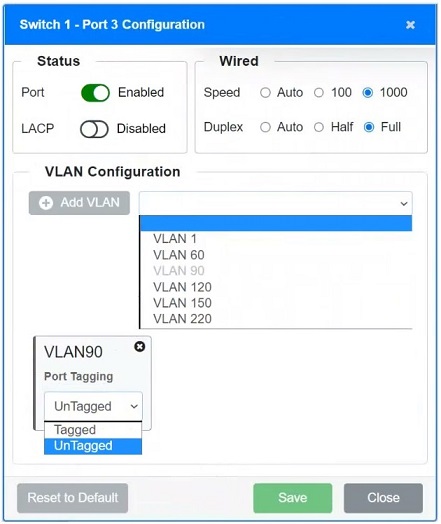
Click on the appropriate port(s) on Switch 1 and Switch 3 to verify or reconfigure the correct settings:
Ensure each device accesses only its correctly associated network.
Disable all unused switchports.
Require fault-tolerant connections between the switches.
Only make necessary changes to complete the above requirements.
If at any time you would like to bring back the initial state of the simulation, please click the Reset All button.
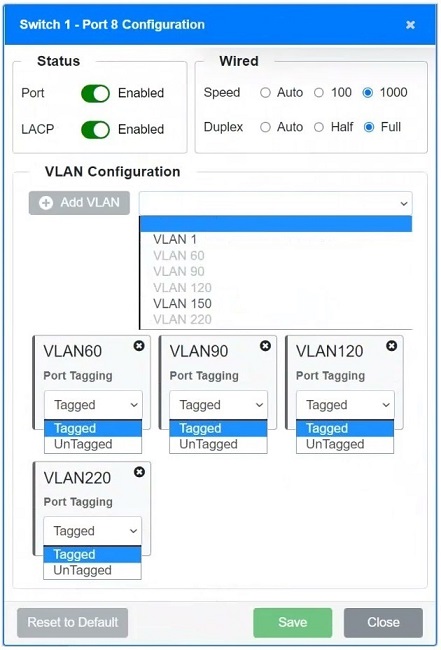
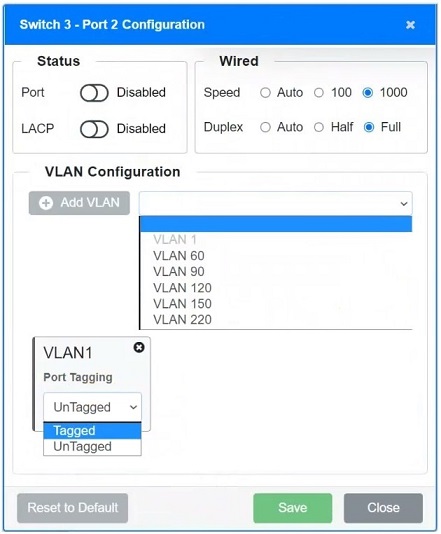
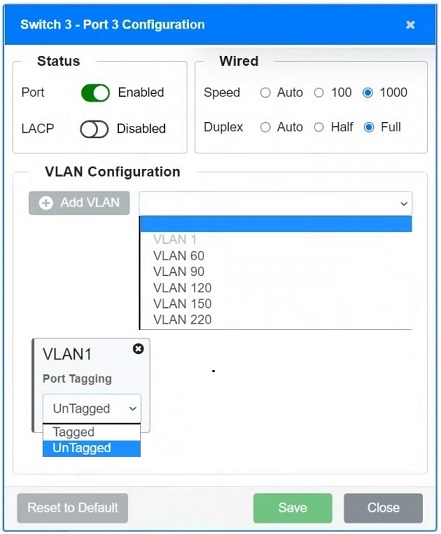
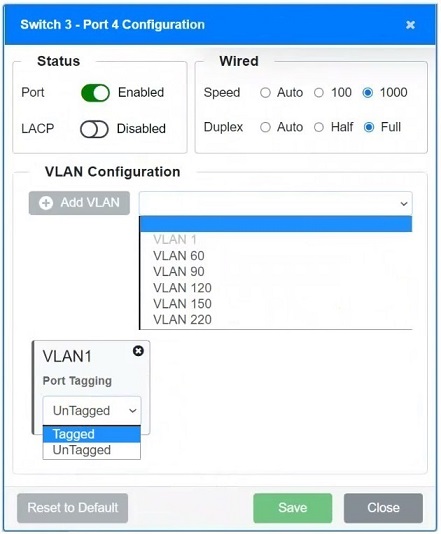
Answer:
2SIMULATION
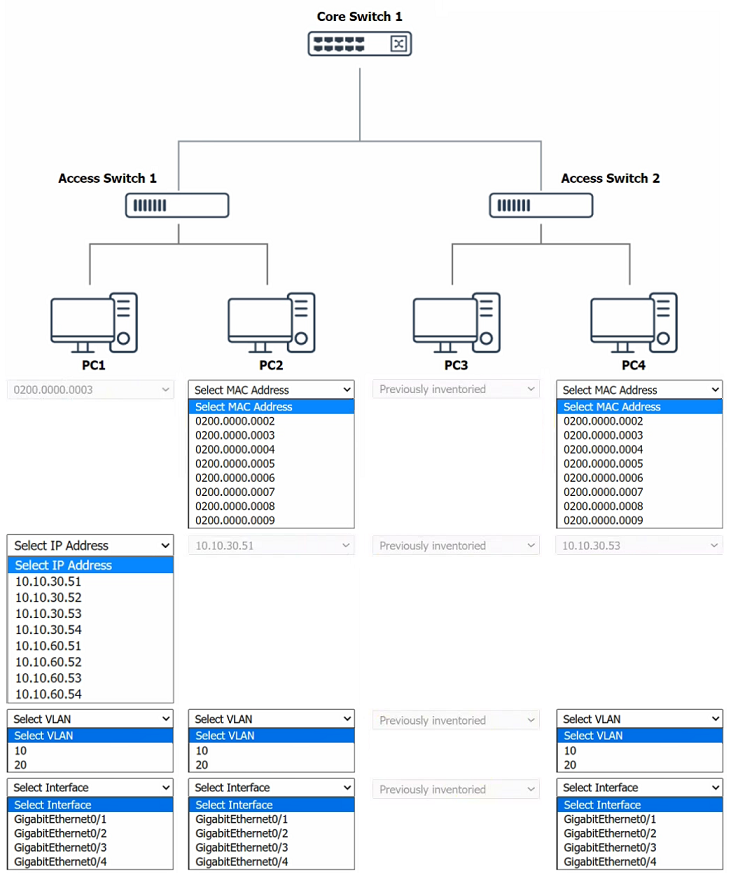
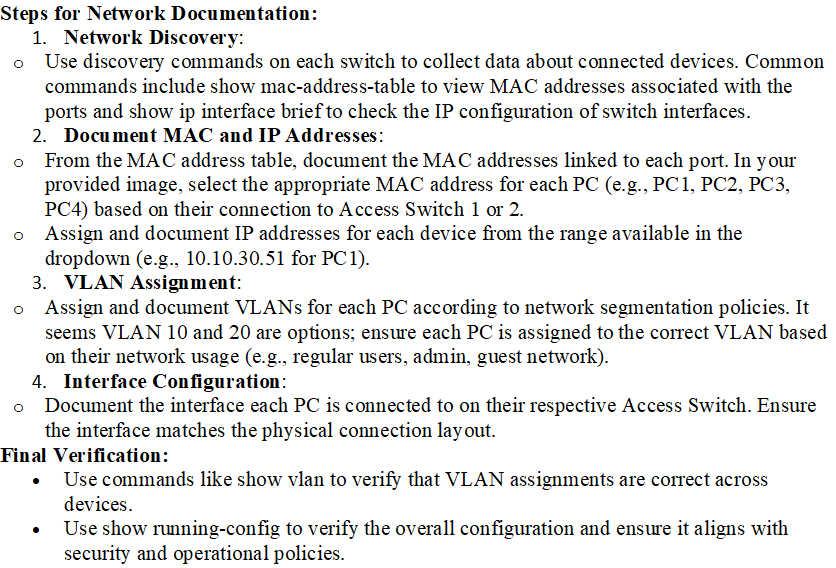
A network technician was recently onboarded to a company. A manager has tasked the technician with documenting the network and has provided the technician with partial information from previous documentation.
INSTRUCTIONS
Click on each switch to perform a network discovery by entering commands into the terminal. Type help to view a list of available commands.
Fill in the missing information using the drop-down menus provided.
If at any time you would like to bring back the initial state of the simulation, please click the Reset All button.
Answer:
3SIMULATION
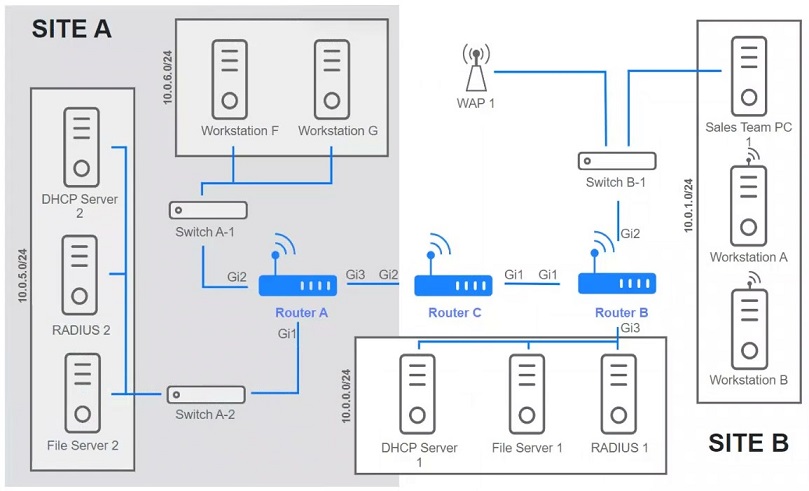
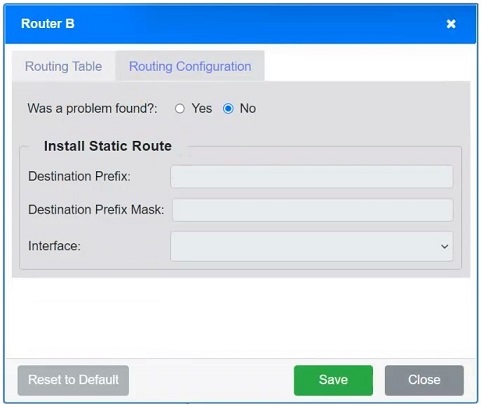
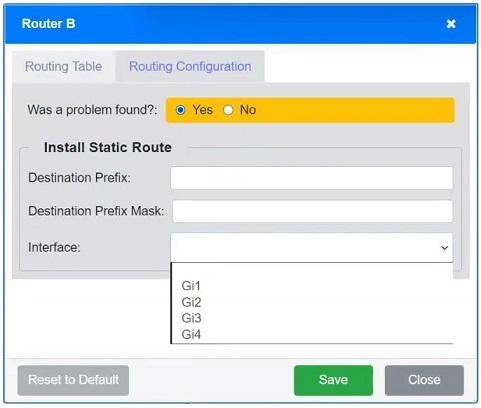
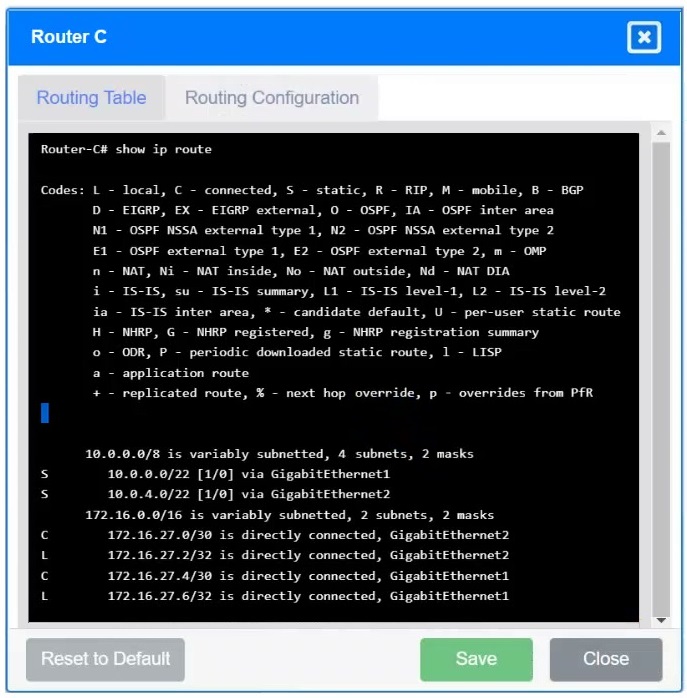
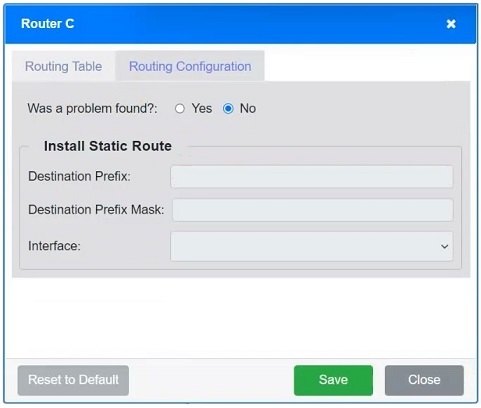
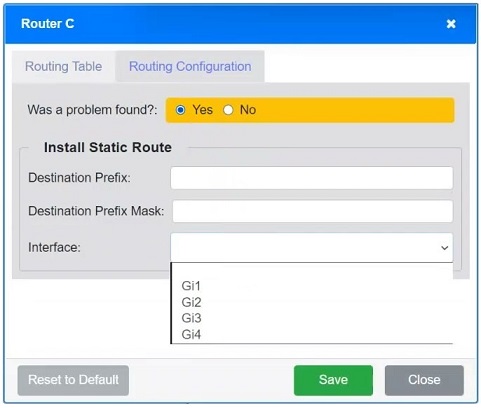
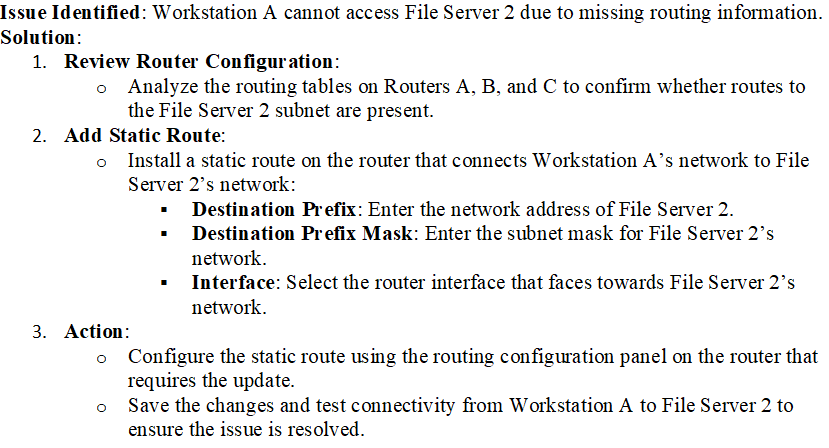
Users are unable to access files on their department share located on file server 2. The network administrator has been tasked with validating routing between networks hosting workstation A and file server 2.
INSTRUCTIONS
Click on each router to review output, identify any issues, and configure the appropriate solution.
If at any time you would like to bring back the initial state of the simulation, please click the Reset All button.
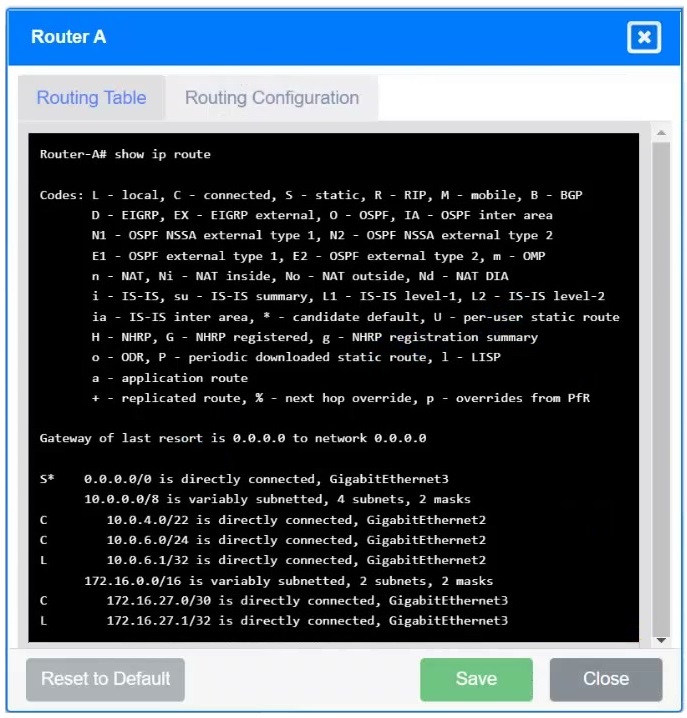
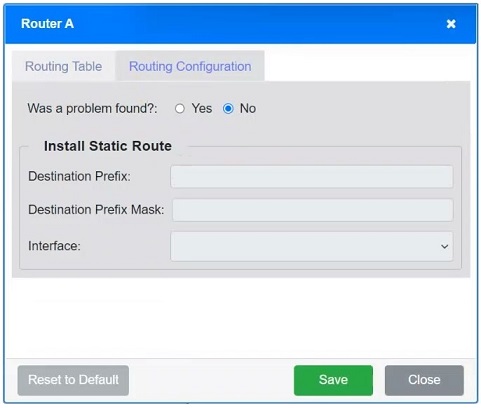
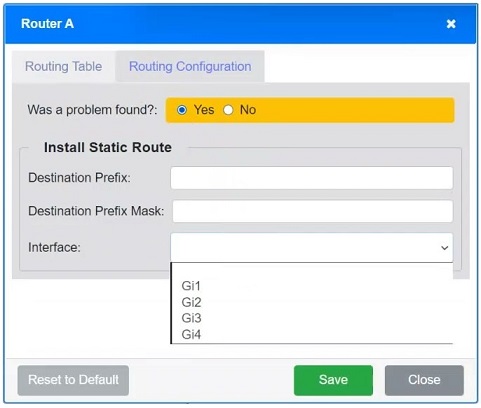
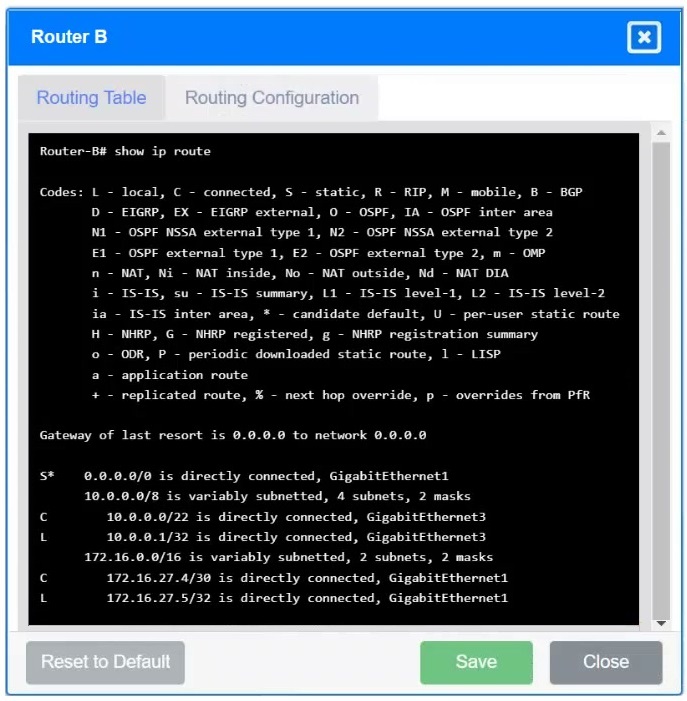
Answer:
4SIMULATION
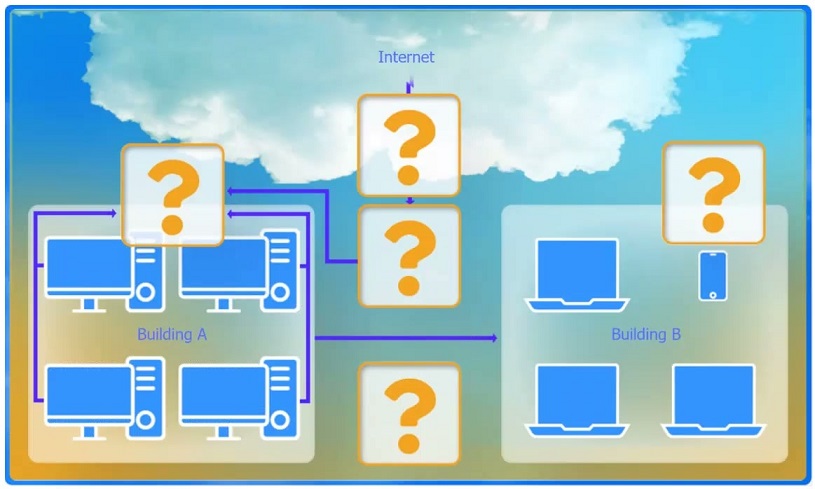
A network administrator has been tasked with configuring a network for a new corporate office. The office consists of two buildings, separated by 50 feet with no physical connectivity. The configuration must meet the following requirements:
Devices in both buildings should be able to access the Internet.
Security insists that all Internet traffic be inspected before entering the network.
Desktops should not see traffic destined for other devices.
INSTRUCTIONS
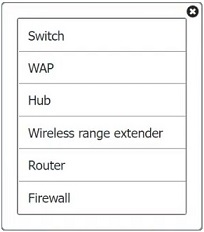
Select the appropriate network device for each location. If applicable, click on the magnifying glass next to any device which may require configuration updates and make any necessary changes.
Not all devices will be used, but all locations should be filled.
If at any time you would like to bring back the initial state of the simulation, please click the Reset All button.
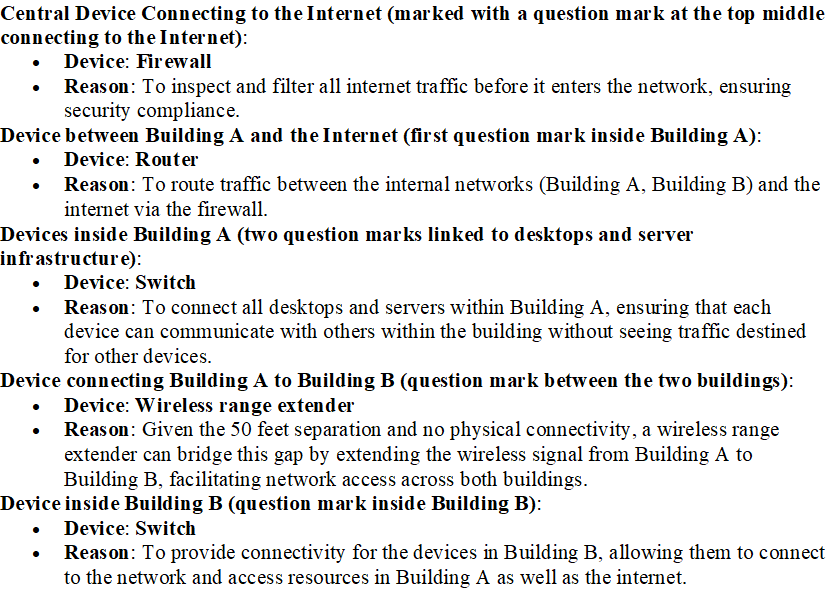
Answer:
5SIMULATION
A network technician needs to resolve some issues with a customer's SOHO network. The customer reports that some of the devices are not connecting to the network, while others appear to work as intended.
INSTRUCTIONS
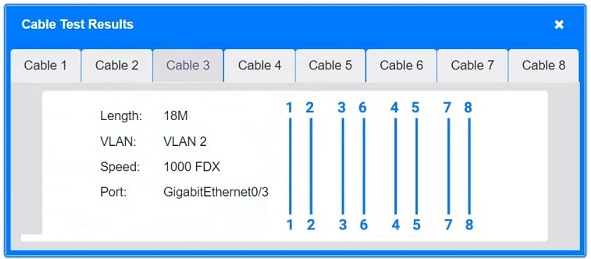
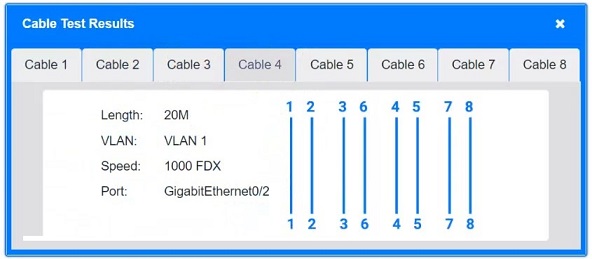
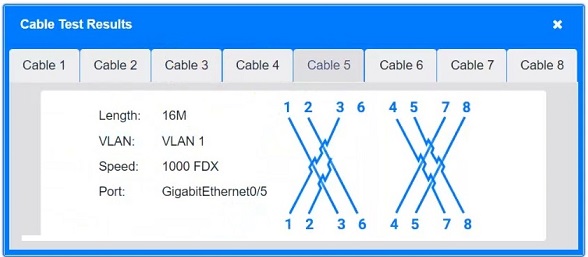
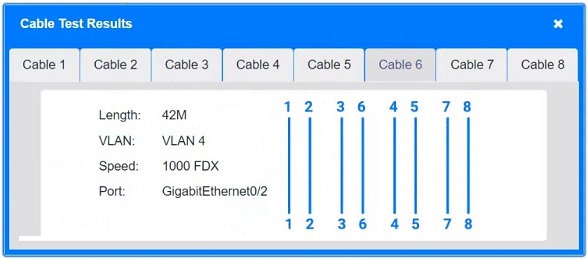
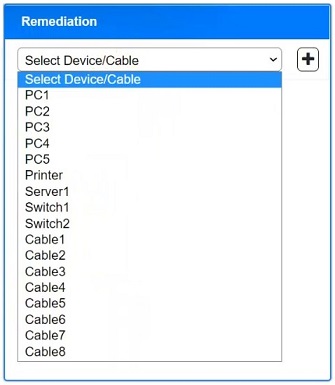
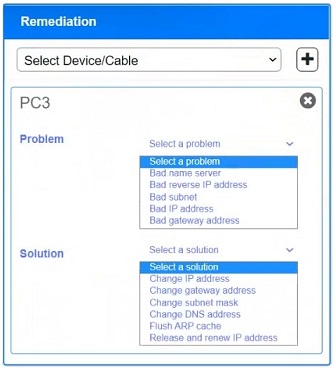
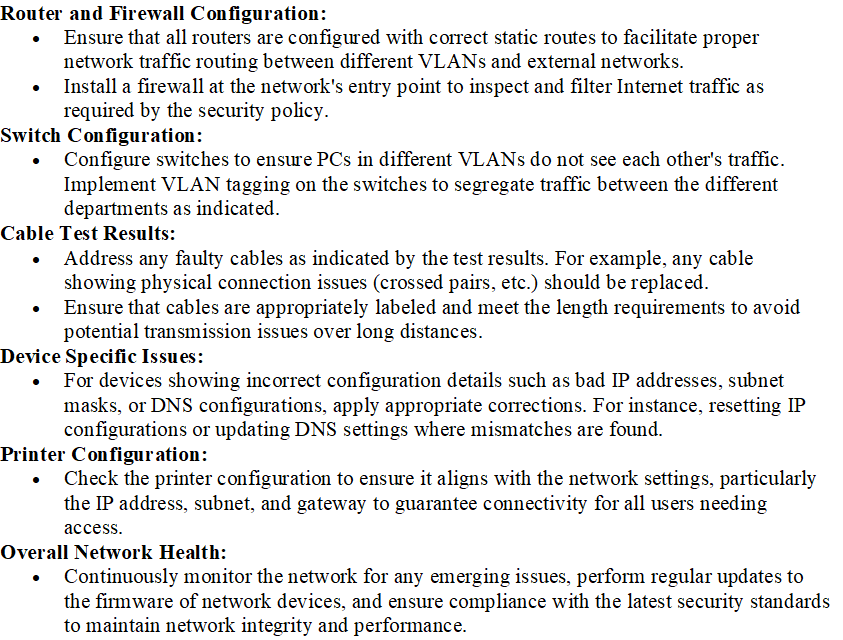
Troubleshoot all the network components and review the cable test results by clicking on each device and cable. Type help in each terminal to view a list of available commands.
Diagnose the appropriate component(s) by identifying any components with a problem and recommend a solution to correct each problem.
If at any time you would like to bring back the initial state of the simulation, please click the Reset All button.
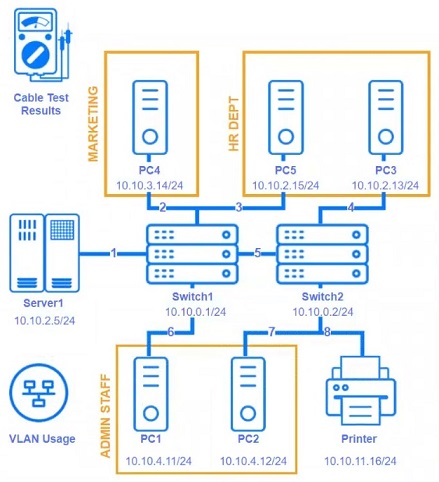
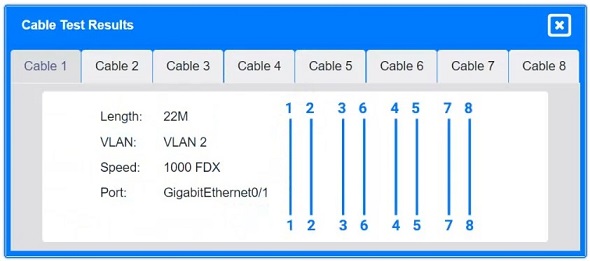
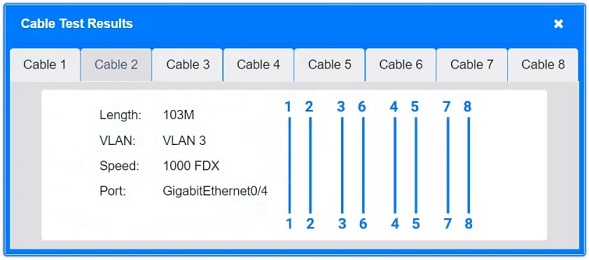
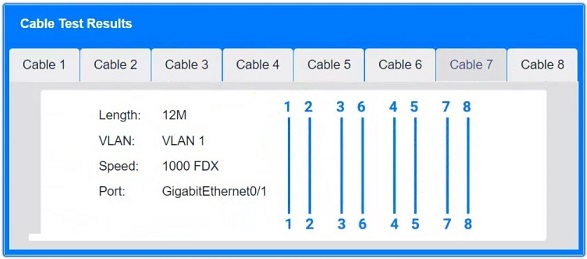
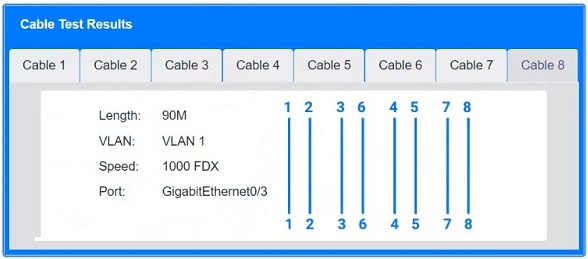
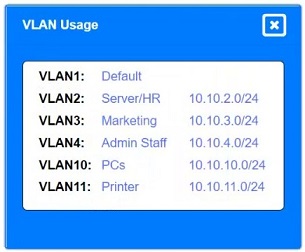
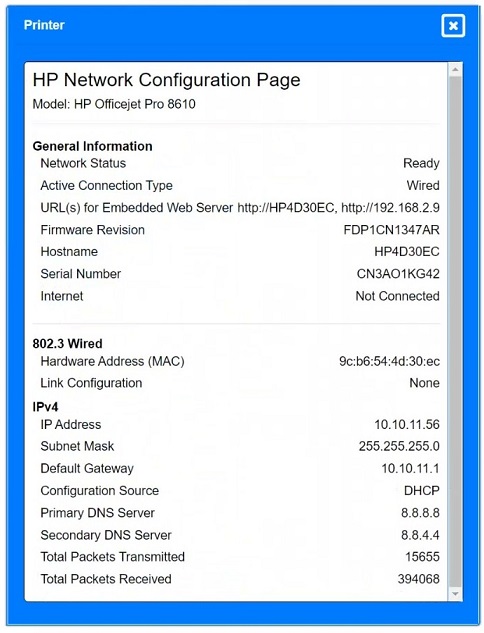
Answer:
6SIMULATION
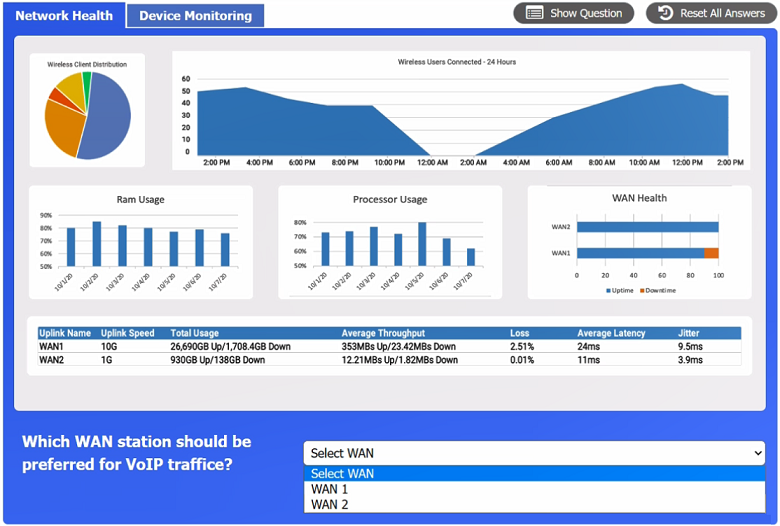
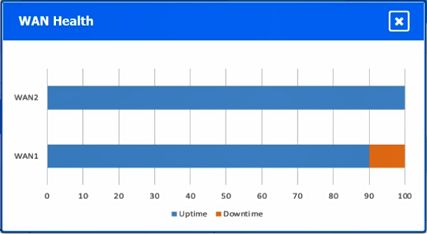
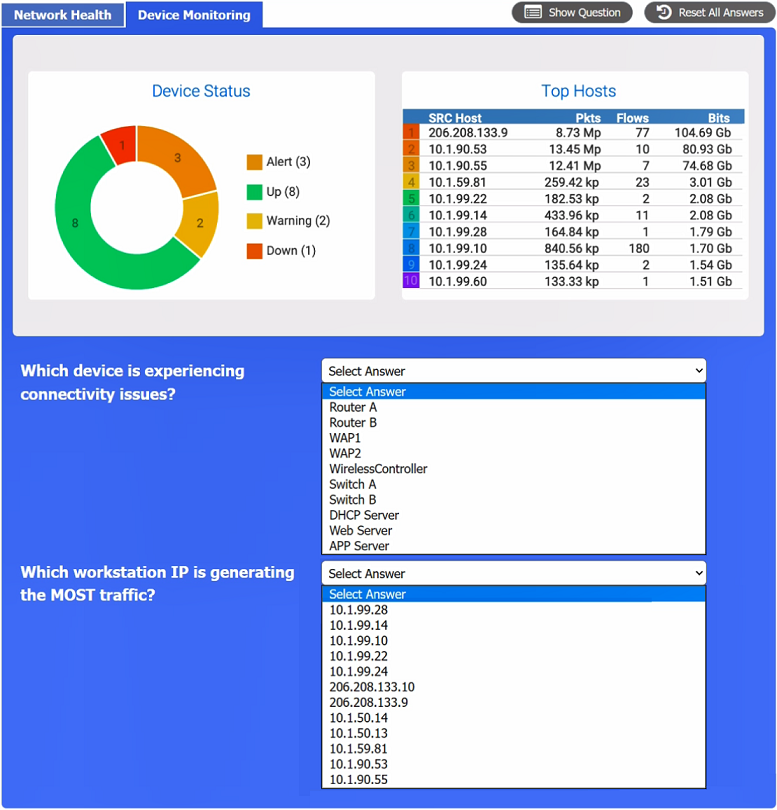
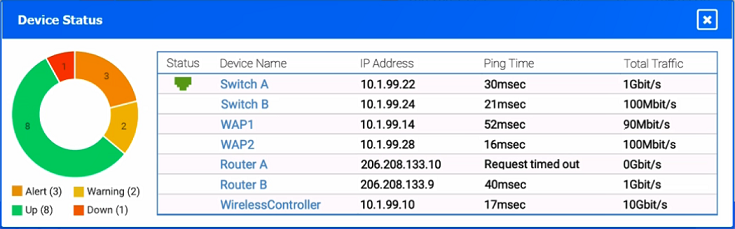
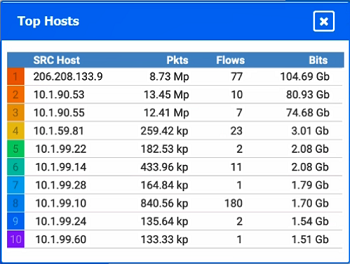
After a recent power outage, users are reporting performance issues accessing the application servers. Wireless users are also reporting intermittent Internet issues.
INSTRUCTIONS
Click on each tab at the top of the screen. Select a widget to view information, then use the drop-down menus to answer the associated questions.
If at any time you would like to bring back the initial state of the simulation, please click the Reset All button.
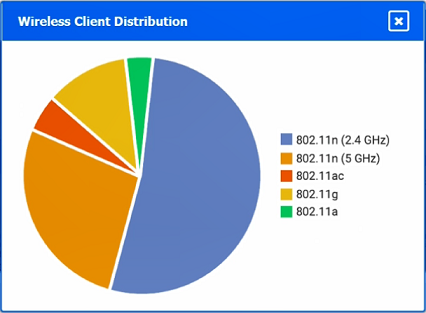
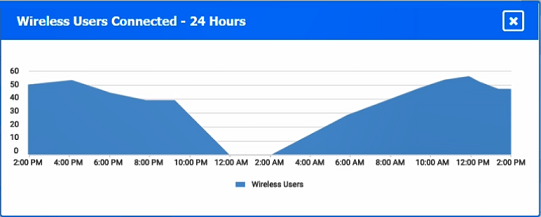
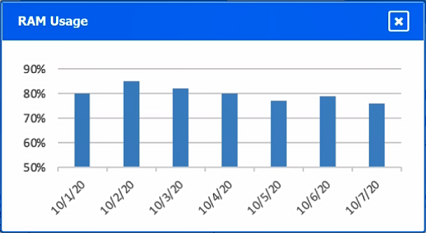
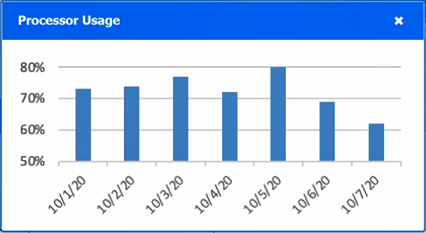

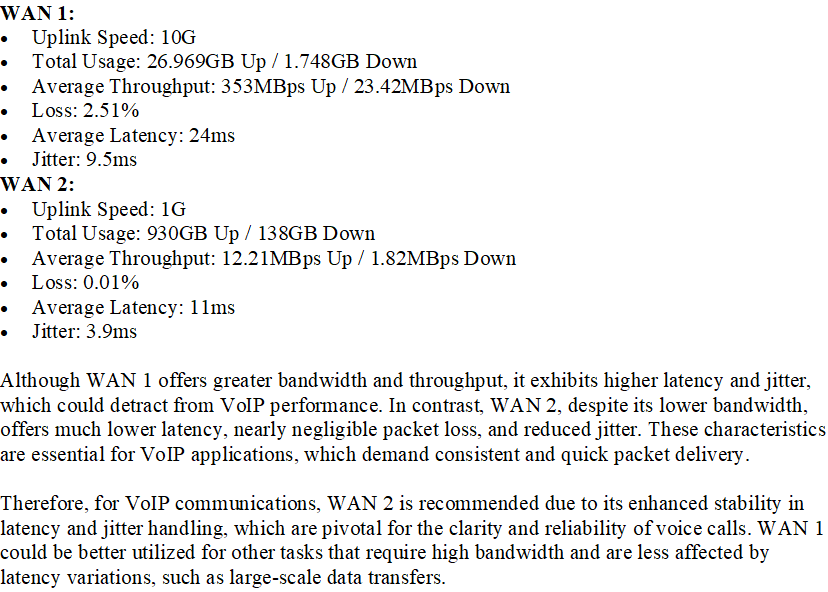
Answer:
7Which of the following steps of the troubleshooting methodology would most likely include checking through each level of the OSI model after the problem has been identified?
- Establish a theory.
- Implement the solution.
- Create a plan of action.
- Verify functionality.
Answer: A
8While troubleshooting a VoIP handset connection, a technician's laptop is able to successfully connect to network resources using the same port. The technician needs to identify the port on the switch. Which of the following should the technician use to determine the switch and port?
- LLDP
- IKE
- VLAN
- netstat
Answer: A
9A network administrator needs to set up a file server to allow user access. The organization uses DHCP to assign IP addresses. Which of the following is the best solution for the administrator to set up?
- A separate scope for the file server using a /32 subnet
- A reservation for the server based on the MAC address
- A static IP address within the DHCP IP range
- A SLAAC for the server
Answer: B
10Which of the following technologies are X.509 certificates most commonly associated with?
- PKI
- VLAN tagging
- LDAP
- MFA
Answer: A
Want the full bank of 1227 questions for N10-009: CompTIA Network+? See all practice exams.