220-1202: CompTIA A+ Certification Exam: Core 2 — Free Practice Questions
10 free sample questions from a bank of 828, with the correct answers and explanations. No signup required — start practising right now.
1SIMULATION
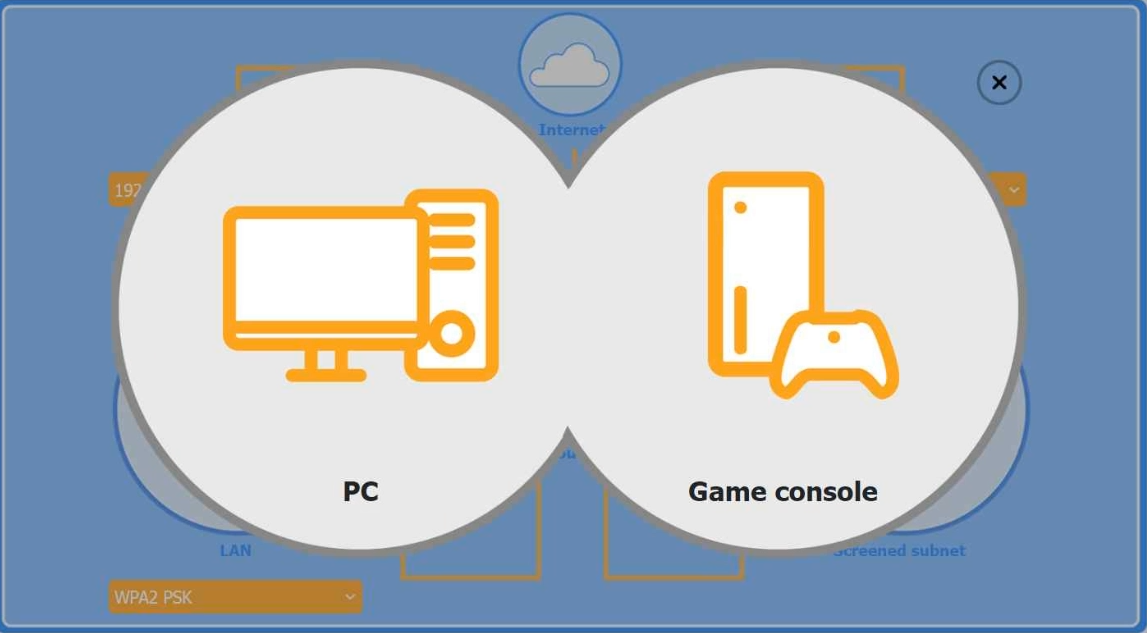
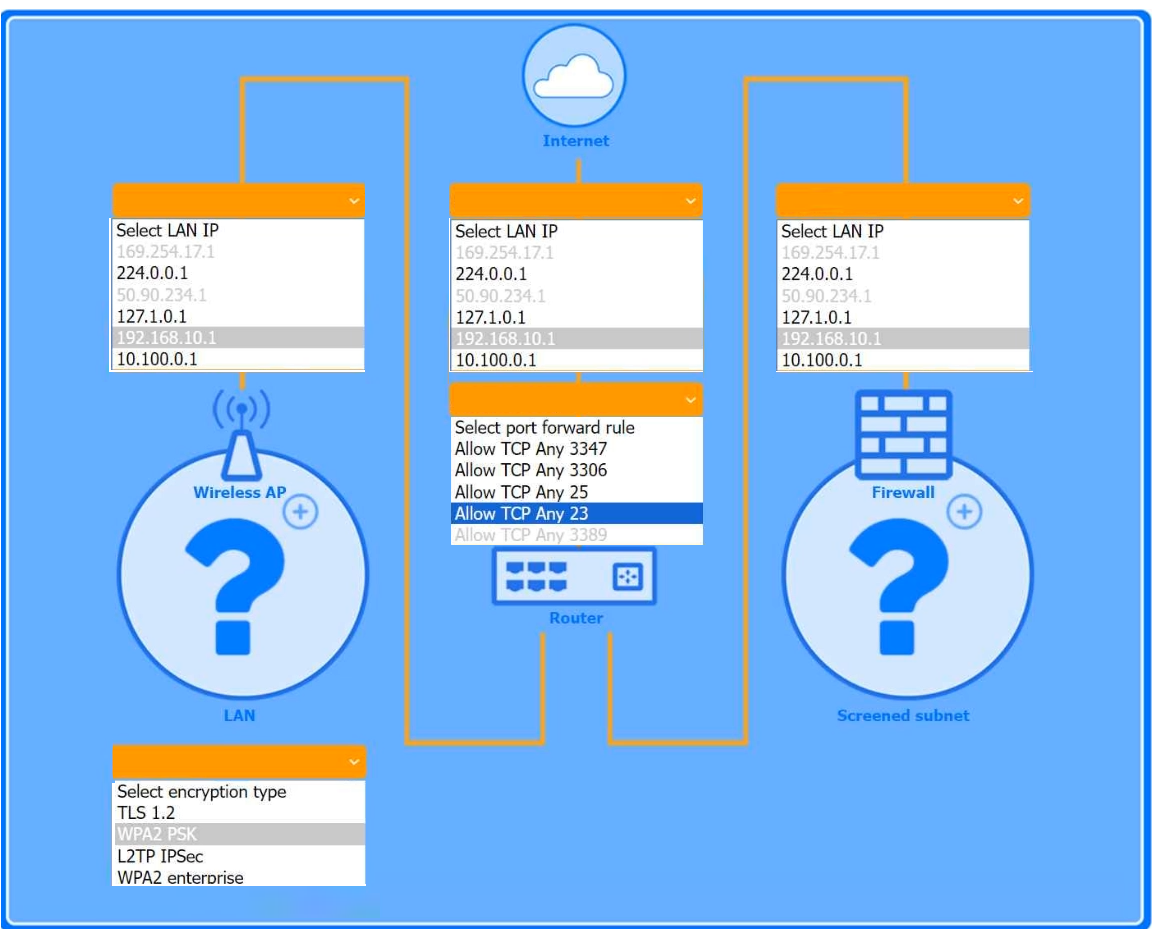
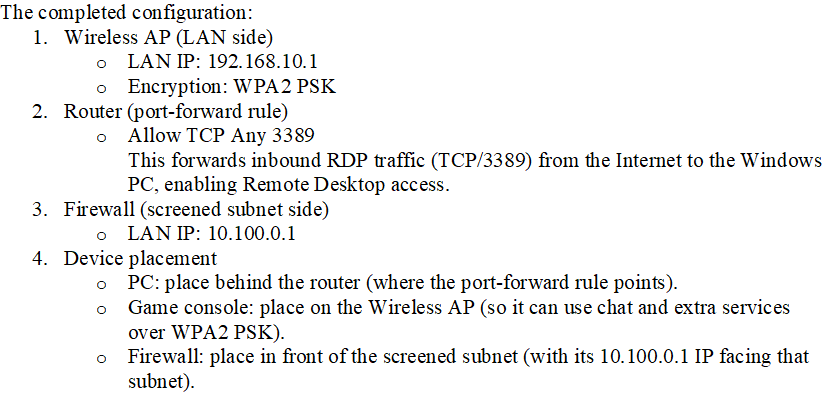
You are configuring a home network for a customer. The customer has requested the ability to access a Windows PC remotely, and needs all chat and optional functions to work in their game console.
INSTRUCTIONS
Use the drop-down menus to complete the network configuration for the customer. Each option may only be used once, and not all options will be used.
Then, click the + sign to place each device in its appropriate location.
If at any time you would like to bring back the initial state of the simulation, please click the Reset All button.
Wireless AP LAN
Firewall Screened Subnet
Answer:
2A technician needs to provide remote support for a legacy Linux-based operating system from their Windows laptop. The solution needs to allow the technician to see what the user is doing and provide the ability to interact with the user's session. Which of the following remote access technologies would support the use case?
- VPN
- VNC
- SSH
- RDP
Answer: B
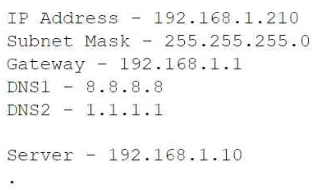
3A technician is attempting to join a workstation to a domain but is receiving an error message stating the domain cannot be found. However, the technician is able to ping the server and access the internet. Given the following information:
Which of the following should the technician do to fix the issue?
- Change the DNS settings.
- Assign a static IP address.
- Configure a subnet mask.
- Update the default gateway.
Answer: A
4A network technician notices that most of the company's network switches are now end-of-life and need to be upgraded. Which of the following should the technician do first?
- Implement the change.
- Approve the change.
- Propose the change.
- Schedule the change.
Answer: C
5MFA for a custom web application on a user's smartphone is no longer working. The last time the user remembered it working was before taking a vacation to another country. Which of the following should the technician do first?
- Verify the date and time settings.
- Apply mobile OS patches.
- Uninstall and reinstall the application.
- Escalate to the website developer.
Answer: A
6Which of the following is found in an MSDS sheet for a battery backup?
- Installation instructions
- Emergency procedures
- Configuration steps
- Voltage specifications
Answer: B
7The screen of a previously working computer repeatedly displays an OS Not Found error message when the computer is started. Only a USB drive, a keyboard, and a mouse are plugged into the computer. Which of the following should a technician do first?
- Run data recovery tools on the disk.
- Partition the disk using the GPT format.
- Check boot options.
- Switch from UEFI to BIOS.
Answer: C
8A security administrator teaches all of an organization's staff members to use BitLocker To Go. Which of the following best describes the reason for this training?
- To ensure that all removable media is password protected in case of loss or theft
- To enable Secure Boot and a BIOS-level password to prevent configuration changes
- To enforce VPN connectivity to be encrypted by hardware modules
- To configure all laptops to use the TPM as an encryption factor for hard drives
Answer: A
9Which of the following is used to detect and record access to restricted areas?
- Bollards
- Video surveillance
- Badge readers
- Fence
Answer: B
10An administrator received an email stating that the OS they are currently supporting will no longer be issued security updates and patches. Which of the following is most likely the reason the administrator received this message?
- Support from the computer’s manufacturer is expiring.
- The OS will be considered end of life.
- The built-in security software is being removed from the next OS version.
- A new version of the OS will be released soon.
Answer: B
Want the full bank of 828 questions for 220-1202: CompTIA A+ Certification Exam: Core 2? See all practice exams.